How to Build a Budget Gaming PC Under One Thousand
Build a budget gaming PC under $1000 with this complete guide covering component selection, assembly tips, and performance expectations.
Anúncios
Building a gaming PC under one thousand dollars delivers performance that competes with current-generation consoles while offering upgrade flexibility and access to the broader PC gaming ecosystem. Careful component selection maximizes every dollar spent on your build.
What Components Do You Need for a Gaming PC?
A gaming PC requires a processor, graphics card, motherboard, RAM, storage drive, power supply, and case. Each component contributes to overall performance, but the graphics card and processor have the most direct impact on gaming frame rates and visual quality.
Anúncios
Peripheral costs including monitor, keyboard, and mouse should factor into your total budget. Allocating roughly 70 percent of your budget to core components and 30 percent to peripherals ensures a balanced setup without bottlenecks in the overall experience.
Which Processor Offers the Best Value for Gaming?
AMD Ryzen 5 processors consistently deliver excellent gaming performance at budget-friendly prices. Their multi-threaded performance handles both gaming and background tasks effectively, while competitive single-core speeds keep frame rates high in CPU-dependent titles.
Anúncios
Intel Core i5 processors compete closely at similar price points. The choice between AMD and Intel often comes down to specific model pricing at time of purchase and which platform offers better total cost when including the motherboard.
- AMD Ryzen 5 7600 — excellent gaming performance with efficient power consumption
- Intel Core i5-13400F — strong value with performance and efficiency cores
- AMD Ryzen 5 5600 — budget king for AM4 platform builds
- Intel Core i5-12400F — previous gen value with capable gaming performance
- Consider bundled CPU and motherboard deals for additional savings
How Much Should You Spend on a Graphics Card?
Allocate 35 to 40 percent of your component budget to the graphics card. At the sub-thousand dollar mark, cards in the 250 to 350 dollar range deliver excellent 1080p performance and capable 1440p gaming at medium to high settings in most modern titles.
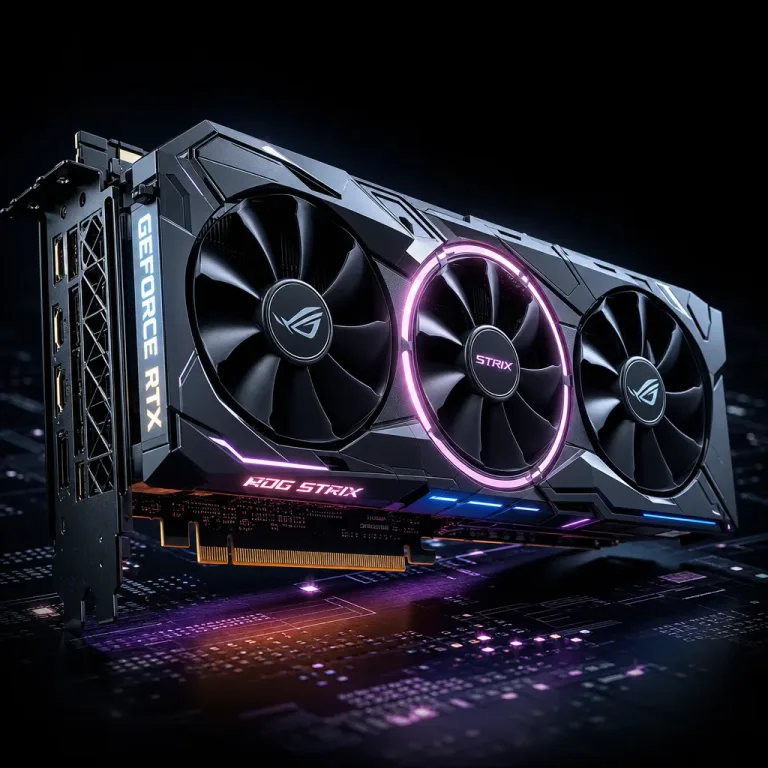
The NVIDIA RTX 4060 and AMD RX 7600 XT represent strong options in this price range. Both cards handle current games comfortably while offering hardware features like ray tracing and AI upscaling that extend their relevance as games become more demanding.
How Much RAM Do You Actually Need for Gaming?
16 gigabytes of DDR4 or DDR5 RAM remains sufficient for gaming in 2026. Most games use between 8 and 12 gigabytes during gameplay, with the remaining capacity handling operating system processes and background applications without impacting game performance.
RAM speed matters more on AMD Ryzen platforms where the memory controller links directly to inter-core communication speeds. DDR4 3600MHz or DDR5 5600MHz represent sweet spots balancing performance gains against cost on their respective platforms.
Should You Choose SSD or HDD Storage?
An NVMe SSD should be your primary drive for operating system and frequently played games. Load time differences between NVMe SSDs and traditional hard drives are dramatic, reducing level loading from minutes to seconds in many titles.
A one terabyte NVMe SSD provides enough space for your operating system and several large games. Adding a secondary two terabyte hard drive for game storage overflow, media files, and backups costs under fifty dollars and dramatically expands total capacity.
What Power Supply Wattage Do You Need?
A 650-watt 80 Plus Bronze certified power supply handles most budget gaming builds with comfortable headroom. Choosing a reputable brand prevents potential reliability issues that cheap power supplies introduce, which can damage other components if they fail.
Modular power supplies cost slightly more but simplify cable management significantly. Only connecting the cables you need improves airflow inside the case, which helps maintain lower temperatures and quieter fan operation during gaming sessions.
Which Motherboard Features Matter for Gaming?
Budget motherboards with B-series chipsets from AMD or Intel provide all essential gaming features without premium pricing. Ensure your board has at least one M.2 NVMe slot, adequate USB ports, and a BIOS that supports your chosen processor without requiring an update.
WiFi and Bluetooth connectivity built into the motherboard eliminates the need for separate adapters. If your gaming setup cannot use a wired ethernet connection, prioritize boards with integrated wireless networking to maintain the cleanest possible build.
How to Choose the Right PC Case?
Cases in the 50 to 80 dollar range offer excellent build quality, cable management features, and adequate airflow. Prioritize cases with mesh front panels that allow unrestricted air intake, as solid front panels restrict airflow and increase component temperatures.
Mid-tower ATX cases provide the most flexibility for component selection and future upgrades. Smaller micro-ATX and mini-ITX builds save desk space but limit GPU length, cooler height, and expansion options that might become relevant during upgrades.
What Performance Can You Expect Under One Thousand?
A well-configured budget build delivers 60 or more frames per second at 1080p high settings in virtually all current titles. Many games reach 100 or more frames per second at this resolution, enabling smooth gameplay on high-refresh monitors without reducing visual quality.
At 1440p resolution, expect medium to high settings with frame rates between 50 and 80 in demanding titles. Competitive games that prioritize frame rate over visual fidelity easily reach 144 or more frames at 1440p on budget hardware.
Common Mistakes to Avoid in Budget Builds
- Spending too much on the CPU while skimping on the graphics card
- Buying a cheap power supply from an unknown brand to save twenty dollars
- Choosing an expensive case with RGB over better-performing components
- Forgetting to budget for a monitor that matches your PC's capabilities
- Overlooking thermal paste application and cooler mounting during assembly
- Not checking component compatibility before purchasing parts
Where to Buy Components for the Best Deals
Price comparison websites and deal aggregator communities help identify the best current prices across retailers. Components frequently go on sale during holiday events, back-to-school seasons, and new product launches that discount previous generation hardware.
Refurbished and open-box components from reputable retailers offer significant savings with minimal risk. Graphics cards and processors in particular maintain full performance regardless of whether they are new or previously used, making these categories ideal for value-conscious buyers.